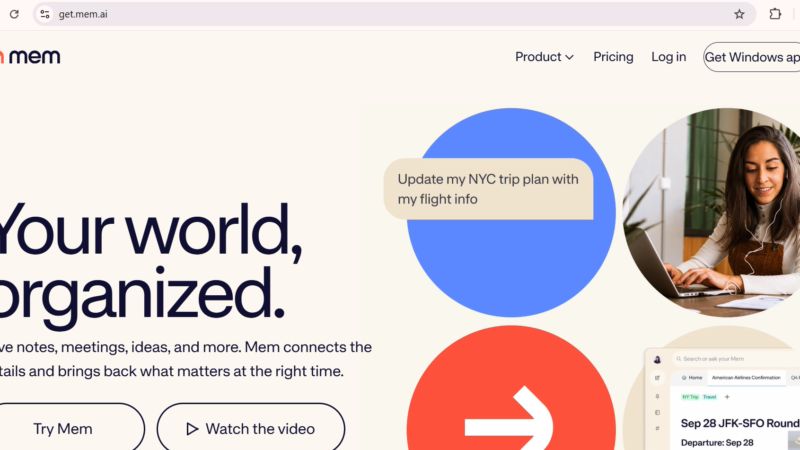
Quick Answer: Mem AI is an artificial intelligence powered note-taking and knowledge management tool that automatically organizes your notes without folders or tags. In 2026, Mem 2.0 brought significant speed and stability improvements. The free plan gives you basic note-taking, while the Pro plan at $14.99 per month unlocks unlimited AI features, Mem Chat, and PDF ingestion. Mem AI is best for knowledge workers, researchers, writers, and professionals who deal with large amounts of information every day. If you hate organizing notes manually, Mem AI is genuinely worth trying.
Mem AI Review 2026: Is It the Best AI Note-Taking App for Productivity?
Updated: July 2026 | 12 min read | Toolszai Editorial Team — Tested on Free and Pro Plans
Most people have a graveyard of abandoned note-taking apps. Notion workspaces nobody opens anymore. Evernote accounts from 2015. Apple Notes with hundreds of untitled files. The problem is never the tool it is the organization. Eventually, the system collapses under its own weight, and you give up.
Mem AI tries to solve this problem at the root. Instead of asking you to maintain folders, tags, or hierarchies, it uses artificial intelligence to organize everything automatically. You just write. The AI handles the rest.
In 2026, Mem released version 2.0 a significant rebuild that addressed the sluggishness and sync issues that plagued the original. So the obvious question is: does it actually work this time? We tested Mem AI on both the free and Pro plans to find out.
⭐ Toolszai Quick Verdict Mem AI 2026
Overall Rating: 7.9 / 10
Best for: Knowledge workers, researchers, writers, consultants, and students who capture a lot of information daily
Free plan: ✅ Yes, basic note-taking with limits (25 notes, 25 AI chats per month)
Pro plan: $14.99/month unlimited notes, AI chat, PDF ingestion, and more
Biggest strength: Zero-friction organization no folders, no tags, just write
Biggest limitation: Free plan is too limited for serious evaluation. AI organization still makes occasional errors
Bottom line: The best tool available for people who hate organizing notes. Not the best for people who want full structural control.
What Is Mem AI? A Simple Overview
Mem AI is a note-taking application built around a single core idea: artificial intelligence should organize your notes so you do not have to. Kevin Moody and Dennis Xu founded the company in 2019. Since then, Mem has raised $28.6 million from investors including Andreessen Horowitz, Founders Fund, and early backers like Bret Taylor and Daniel Gross.
The tool positions itself as a “second brain” a place where you dump everything you learn, think, and want to remember, and the AI builds connections between those ideas automatically. In practice, this means no folders, no manual tags, and no rigid organizational structure to maintain.
Moreover, Mem 2.0 arrived in early 2026 as a complete rebuild of the core engine. As a result, the platform now runs significantly faster and more reliably than the original version, which frustrated many early users with slow load times and occasional data inconsistencies.
In plain English: You open Mem, write a note, and the AI reads it, connects it to related notes, and makes it searchable in plain English. Ask “what did I write about the project deadline last week?” and Mem finds it even if you do not remember the exact words you used.
Mem AI Key Features in 2026 What Actually Works
AI Auto-Organization The Core Feature
This is what makes Mem different from every other note-taking app. When you write a note, the AI reads it, generates tags automatically, and connects it to related notes across your entire knowledge base. Over time, Mem builds a personal knowledge graph a web of connected ideas that grows smarter as you add more content.
In our testing, the auto-organization worked well for most content types. Meeting notes, research summaries, and project ideas connected naturally and predictably. However, the AI occasionally made unexpected connections between unrelated topics something worth knowing before you trust it blindly.
Mem Chat Ask Your Notes Anything
Mem Chat is arguably the most impressive feature in the 2026 version. Instead of searching for notes manually, you simply ask a question in plain English. For example: “What were the key takeaways from my last three client meetings?” or “Summarize everything I know about content marketing.”
Mem then synthesizes an answer from your actual notes, with source links back to the originating entries. This is where Mem genuinely earns its “second brain” label. In practice, retrieving information this way is dramatically faster than scrolling through traditional note apps.
Smart Search Find Anything Instantly
Beyond Mem Chat, the smart search feature uses semantic understanding rather than simple keyword matching. This means you can search for concepts, not just exact phrases. As a result, you find relevant notes even when you cannot remember the specific words you used when writing them.
For researchers and knowledge workers who accumulate hundreds or thousands of notes, this capability alone justifies the subscription cost.
Meeting Support Record, Transcribe, Summarize
Mem now records, transcribes, and summarizes meetings automatically, then links the outcomes to existing notes in your knowledge base. For professionals who spend significant time in meetings and need to track follow-up actions, this integration is genuinely practical.
The meeting brief feature is still listed as beta in 2026, which means occasional accuracy issues. Nevertheless, for capturing the main points of a meeting and connecting them to ongoing projects, it works well enough for regular use.
PDF and Document Ingestion
Pro plan users can upload PDFs and other documents into Mem. The AI reads them, indexes the content, and makes it searchable alongside your regular notes. Furthermore, you can use Mem Chat to ask questions about specific documents — effectively turning any PDF into a conversational knowledge source.
Free users hit a limit of 25 PDF pages per month, which is far too low for regular research or professional use. Consequently, anyone who works with documents regularly needs the Pro plan.
Mem Agent AI Chief of Staff
Mem Agent is the most advanced feature, available on the highest tier. It integrates with Slack, scans your notes continuously, and builds a mental model of your working memory. Additionally, it sends proactive reminders not just for things you asked it to remember, but for things it detects you might have forgotten based on your note patterns.
This is an ambitious feature that works impressively when it works. However, it requires Slack integration and a higher-tier subscription, which puts it out of reach for most individual users.
Cross-Platform Access
Mem works on Mac, Windows, iOS, Android, and web. The mobile apps support voice notes, photo capture with OCR, and offline reading of cached notes. For professionals who need to capture ideas on the go, this cross-platform consistency is a genuine practical advantage.
Mem AI Pricing 2026 Every Plan Explained
Mem offers three main tiers in 2026. Annual billing saves approximately 15 to 20 percent across all paid plans.
| Plan | Price | Notes Limit | Key Features |
|---|---|---|---|
| Free | $0 | 25 notes/month | Basic note-taking, 25 AI chats/month, 25 PDF pages/month, smart search |
| Pro | $14.99/month | Unlimited | Unlimited notes, Mem Chat, PDF ingestion, AI writing assistant, email integration |
| Teams | Custom/user/month | Unlimited | Shared knowledge bases, team AI features, admin controls, collaboration tools |
| Enterprise (Mem Agent) | Custom | Unlimited | Mem Agent (AI Chief of Staff), Slack integration, proactive reminders, data residency |
The free plan is useful for testing Mem’s interface and basic search, but the 25 note and 25 AI chat monthly limits make serious evaluation difficult. Therefore, if you want to genuinely assess whether Mem fits your workflow, commit to a one-month Pro trial before deciding.
At $14.99 per month, Pro sits at a reasonable price point compared to alternatives. For context, Notion AI costs $10 per month as an add-on to an existing plan, while Obsidian remains free for personal use with optional paid sync.
Mem AI Review: Honest Performance Ratings
| Category | Score | Notes |
|---|---|---|
| AI organization quality | 8.2 / 10 | Excellent for most content — occasional unexpected connections |
| Mem Chat accuracy | 8.5 / 10 | Strong answers with source links — best feature in the product |
| Ease of use | 8.8 / 10 | Clean interface — one of the simplest AI tools we have tested |
| Speed and performance | 7.5 / 10 | Mem 2.0 improved significantly — some occasional lag remains |
| Value for money | 7.8 / 10 | Fair price — free plan too limited for serious testing |
| Mobile experience | 7.2 / 10 | Works well — voice notes and OCR are practical additions |
Mem AI Pros and Cons
Like every tool, Mem AI has real strengths and genuine limitations. Understanding both sides helps you decide whether it fits your workflow before you commit.
| ✅ What Works Well | ❌ Where It Falls Short |
|---|---|
| Zero-friction organization — no folders or tags needed
Mem Chat answers questions from your own notes Smart search understands meaning, not just keywords Mem 2.0 is significantly faster and more stable Available on Mac, Windows, iOS, Android, and web PDF ingestion makes documents searchable and queryable Backed by Andreessen Horowitz — financially stable Free plan available for basic evaluation |
Free plan limits (25 notes, 25 chats) are too restrictive
AI occasionally connects unrelated notes incorrectly No structural control for users who prefer folders Meeting brief feature still in beta — occasional errors Mem Agent requires enterprise pricing and Slack No offline mode for full AI features Privacy-conscious users should review AI data handling Pricier than Obsidian, which is free for personal use |
Mem AI vs Alternatives Which AI Note-Taking App Wins in 2026?
Mem AI does not operate in isolation. Several strong alternatives compete in the AI note-taking space in 2026. Here is how they compare honestly.
| Tool | Best For | Starting Price | vs Mem AI |
|---|---|---|---|
| Mem AI 🏆 | Knowledge workers who hate manual organization | Free / $14.99/mo | Best zero-friction AI organization on the market |
| Notion AI | Teams needing databases, wikis, and project tools | Free / $10 AI add-on | More structured — requires manual organization setup |
| Obsidian | Users wanting full control and offline access | Free (local) | More powerful for advanced users — steeper learning curve |
| Reflect | Privacy-focused note-takers | $10/month | Similar AI features — stronger on privacy and encryption |
| Evernote | Traditional note-taking with document storage | Free / $14.99/mo | Older, folder-based approach — AI features are limited |
Who Should Use Mem AI in 2026?
Not every user will get the same value from Mem AI. Here is an honest breakdown of who benefits most and who should look elsewhere.
| If you are… | Mem AI is… | Why |
|---|---|---|
| A knowledge worker or researcher | ✅ Highly recommended | AI organization saves hours of manual filing every week. |
| A writer or content creator | ✅ Worth trying | Mem Chat surfaces past research and ideas instantly. |
| A consultant or executive | ✅ Strong fit | Meeting transcription and follow-up tracking saves real time. |
| A student | ⚠️ Consider the free plan first | Useful for research — but Obsidian is free and powerful. |
| A developer or technical user | ⚠️ Obsidian may suit better | Obsidian offers more local control, plugins, and Markdown power. |
| A team needing project management | ❌ Use Notion instead | Notion handles databases, tasks, and wikis better than Mem. |
| A privacy-conscious user | ⚠️ Check their data policy first | Reflect offers end-to-end encryption — Mem does not. |
Frequently Asked Questions
Is Mem AI free to use?
Yes, Mem AI offers a free plan with basic note-taking, smart search, 25 AI chats per month, and 25 PDF pages per month. However, these limits make serious evaluation difficult for anyone who takes notes regularly. If you want to test the full power of Mem’s AI features, the Pro plan at $14.99 per month is worth trying for at least one month before deciding whether to commit long-term.
What is Mem 2.0 and how is it different from the original?
Mem 2.0 launched in early 2026 as a complete rebuild of the platform’s core engine. The original Mem earned criticism for slow load times, sync failures, and general instability. Mem 2.0 addressed these issues directly the platform now runs significantly faster, syncs more reliably, and handles large note collections without the performance degradation that frustrated early users. If you tried Mem before 2026 and gave up, the 2026 version is genuinely worth a second look.
How does Mem Chat work?
Mem Chat is an AI assistant that reads all your notes and answers questions about them in plain English. For example, you can ask “what were the main decisions from my project planning notes last month?” and Mem synthesizes an answer from your actual content with source links pointing back to the relevant notes. It uses large language models combined with your personal knowledge graph to generate contextually accurate responses. The Pro plan includes unlimited Mem Chat; the free plan limits you to 25 conversations per month.
Is Mem AI better than Notion?
They serve different needs. Mem AI excels at zero-friction knowledge capture you write and the AI organizes everything automatically. Notion, on the other hand, excels at structured workspaces databases, project boards, wikis, and team collaboration. For individuals who primarily want to capture and retrieve knowledge without building systems, Mem AI is the stronger choice. For teams who need project management alongside note-taking, Notion is more appropriate. Many professionals use both Mem for personal knowledge and Notion for team projects.
Is Mem AI safe and private?
Mem uses encryption in transit and at rest. Importantly, the company states that your data is not used to train public AI models. Teams and Enterprise plans offer additional data residency and compliance options. However, Mem does not offer end-to-end encryption in the same way that Reflect does meaning Mem’s servers can theoretically access your notes for AI processing. For users handling sensitive legal, medical, or financial information, reviewing Mem’s current privacy policy thoroughly before subscribing is strongly recommended.
Can I export my notes from Mem AI?
Yes, Mem supports export in Markdown, HTML, and JSON formats. You can export individual notes or your entire workspace at any time. There is no vendor lock-in. If you decide Mem does not suit you, your content leaves with you in formats compatible with most other note-taking apps, including Obsidian and Notion.
What is Mem Agent?
Mem Agent is the most advanced feature Mem offers currently available on the Enterprise tier. It integrates with Slack, continuously scans your notes, and builds a mental model of your working memory. Beyond responding to requests, Mem Agent proactively sends reminders for things it detects you might have forgotten based on patterns in your notes. For executives and professionals who live in Slack and deal with constant information overload, this is a compelling feature though the enterprise pricing puts it out of reach for most individual users.
Final Verdict Is Mem AI Worth It in 2026?
Here is the honest answer: Mem AI is the best tool available for people who have tried and abandoned every other note-taking app because the organization always breaks down. If that description fits you if you have a graveyard of Notion workspaces and Evernote accounts then Mem AI is genuinely worth trying.
The core premise works. You write, the AI organizes, and Mem Chat makes retrieval fast and natural. Mem 2.0 addressed the stability issues that undermined the original version. Furthermore, at $14.99 per month, the Pro plan sits at a reasonable price point for the productivity gains it delivers for heavy note-takers.
However, the limitations are equally real. The free plan is too restricted for genuine evaluation. The AI occasionally connects unrelated notes in ways that feel random. Users who prefer structural control over their knowledge base will find the abstraction frustrating rather than helpful. And for teams who need project management alongside notes, Notion remains the more complete solution.
Nevertheless, for the specific user Mem targets the overwhelmed professional who captures a lot of information and struggles to find it again Mem AI in 2026 is the strongest option on the market.
✅ Toolszai Final Verdict Mem AI: 7.9 / 10
Recommended for: Knowledge workers, researchers, writers, consultants, and executives who capture large amounts of information and want AI to handle organization automatically.
Not ideal for: Users who want structural folder control, teams needing project management, developers who prefer Obsidian’s local-first approach, or privacy-conscious users requiring end-to-end encryption.
Best starting point: Try the free plan for two weeks with genuine daily use. If you find yourself reaching for Mem multiple times per day, upgrade to Pro. If the free limits frustrate you before then, that tells you Mem is already worth the subscription.