Introduction
Here’s something most people never admit.
They use Grammarly every day but don’t know half of what it actually does because most people think Grammarly is just a spell checker. You type something and it shows up in red, you click ‘fix’ and it’s done, and that’s it.
But in 2026, Grammarly has become much more powerful than that. Grammarly rewrites your sentences, checks your writing style, detects plagiarism, generates text with artificial intelligence, and works silently inside every app you use.
I’ve been testing Grammarly for the past few weeks, free plans, paid plans, browser extensions, mobile apps, and everything in between. Here’s my completely honest opinion on whether Grammarly is worth your time.
What is Grammarly?
Grammarly is an AI writing assistant that works behind the scenes to improve and refine your writing in real time while you write.
Grammarly doesn’t replace you as a writer, it makes you a better writer.
Think of it as a sharp editor who reads every word you type, never gets tired, never skips a comma, and always lets you know when something looks out of place. With over 30 million people using Grammarly every day, Grammarly has become the most widely used writing tool on the internet. And in 2026, it added a full AI generation feature called GrammarlyGO that transformed it from a grammar checker into a full-fledged writing assistant.
Who is Grammarly For?
Grammarly works well for almost anyone who writes regularly —
- Students — essays, assignments, research papers, emails to professors
- Bloggers and content creators — articles, social media posts, scripts
- Business owners — emails, proposals, client communication
- Photographers and videographers — captions, website copy, inquiry responses
- Job seekers — resumes, cover letters, LinkedIn profiles
- Remote teams — consistent writing across all team members
How to Use Grammarly — Step by Step
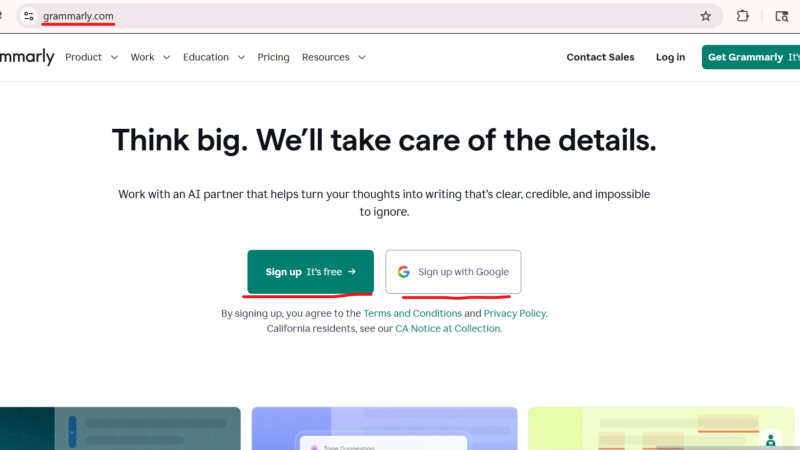
Step 1: Go to grammarly.com
Create a free account
Step 2: Install the browser extension
(Chrome, Firefox, Edge, or Safari)
Step 3: Start writing from anywhere
Gmail, Google Docs, LinkedIn,
WordPress, or any website
Step 4: Grammarly automatically
marks errors as you type
Step 5: Click on any suggestion
to accept or reject it
Step 6: See your overall score
and writing style before sending
Frequently Asked Questions
Q: Is Grammarly free? Yes. Grammarly has a genuinely useful free plan with grammar correction, spelling fixes, tone detection, and 100 monthly AI prompts. No credit card required.
Q: Is Grammarly worth paying for? If you write daily yes. The annual Pro plan at $12/month is reasonable for what you get. If you only write occasionally, the free plan is probably enough.
Q: Does Grammarly work in Google Docs? Yes. Grammarly has a dedicated Google Docs integration that works seamlessly inside your document without needing to copy and paste anything.
Q: Is Grammarly safe? Yes. Grammarly uses bank-level encryption and does not sell your data. They also offer a data deletion option if you close your account.
Q: Can students use Grammarly for free? Absolutely. The free plan works perfectly for most student needs essays, emails, and reports. The plagiarism checker in the paid plan is a bonus for academic work.
Conclusion
After testing it daily for a few weeks, I can honestly tell you this:
Grammarly isn’t perfect. Its monthly price is too high, the auto-renewal feature is off-putting, and its AI suggestions for technical writing are sometimes off-target.
But for most people—students, bloggers, business owners, content creators—Grammarly is the most useful writing tool you can add to your daily routine. Its free plan alone will noticeably improve your writing within the first hour.
And if you write every day for work or for your blog, the $12 per month Pro plan is one of the most cost-effective tools you can invest in.
Bottom line: Download the free extension today. Try it for a week. You won’t want to write without it.