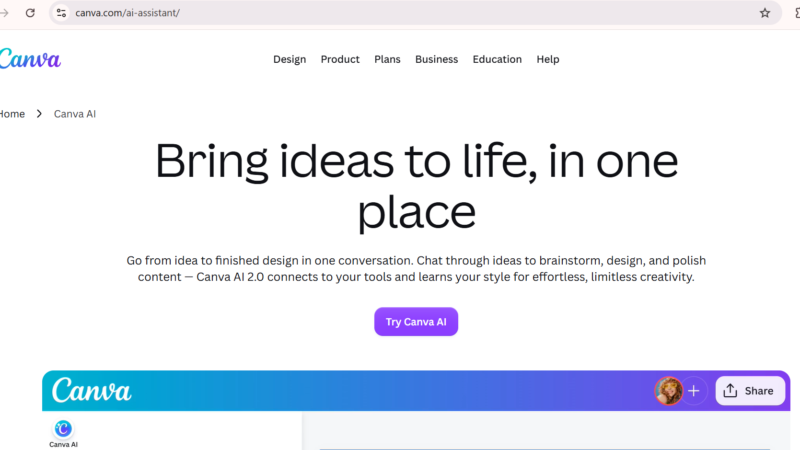
Quick Answer: Canva AI officially called Magic Studio is a suite of 40+ artificial intelligence tools built directly into the Canva editor. In 2026, it includes Dream Lab for AI image generation, Magic Write for copywriting, Magic Design for instant layouts, Magic Eraser for object removal, Magic Expand for image extension, Magic Edit for context-aware editing, Magic Morph for 3D text effects, Magic Grab for object isolation, AI voiceover generation, face swapping, and a full AI video generator up to 60 seconds. The free plan includes approximately 50 AI credits per month. Canva Pro at $15 per month unlocks 500 credits, Brand Kit integration, and the full Magic Studio suite.
Canva AI Complete Guide 2026: Every Magic Studio Feature Explained (Free vs Pro)
Updated: July 2026 | 18 min read | Toolszai Editorial Team — Tested hands-on on Free and Pro plans
Canva launched as a simple drag-and-drop design tool. Today, it is something much more ambitious a full AI-powered creative operating system used by over 260 million people in 190 countries, with AI tools used more than 10 billion times. If you are still using Canva the old way browsing templates and dragging elements manually you are leaving most of its power on the table.
In 2026, Canva AI (Magic Studio) covers everything from generating complete design layouts in seconds to removing objects from photos, extending images, creating AI videos, cloning voices, and swapping faces. The challenge is that most users know about two or three features and miss the rest entirely.
This guide covers every major Canva AI feature in 2026 what each tool does, how to use it, what prompts work best, and which features are free versus Pro-only. Whether you are a marketer, content creator, educator, or small business owner, this is the complete reference you need.
What Is Canva AI Magic Studio? A Simple Overview
Canva AI Magic Studio is the complete suite of AI tools built into Canva’s design platform. In 2026, it includes Magic Write for AI copywriting, Magic Design for layout generation, Dream Lab for text-to-image creation, Background Remover, Magic Edit, Magic Eraser, Magic Expand, Magic Animate, Magic Switch, and Magic Morph.
Rather than a single AI feature, Magic Studio is an ecosystem of specialized tools each designed for a specific creative task, all integrated directly into the editor so your generated content appears as editable design elements immediately. In 2026, Canva describes itself as a Creative OS bundling AI image generation via Dream Lab on the Leonardo.AI Phoenix model, AI copywriting via Magic Write, AI data visualization via Canva Sheets and Magic Charts, and a free professional design suite called Affinity that competes directly with Photoshop and Illustrator.
Understanding which tool to use for which task and whether your use case requires Pro is what this guide is designed to answer clearly.
Is Canva AI Free? Free Plan vs Pro Credits Explained
Before diving into features, understanding the credit system is essential. Almost every Magic Studio feature consumes credits and the gap between free and Pro is significant.
| Plan | Price | AI Credits | Key AI Access |
|---|---|---|---|
| Free | $0 | ~50/month | Limited Dream Lab, limited Magic Write, no Background Remover, no Brand Kit |
| Pro | $15/month ($120/year) | 500/month | Full Magic Studio, Brand Kit, Background Remover, Magic Resize, Dream Lab 500 generations |
| Teams | $10/user/month (3-seat min) | Higher per user | All Pro features + shared Brand Kit, team admin controls |
The free plan includes roughly 50 AI credits per month. A single Dream Lab image generation consumes 4 to 8 credits depending on style and resolution. Magic Write uses about 1 credit per generation. Magic Eraser, Magic Edit, and Magic Expand each use credits per operation. At 50 credits, a free user can generate 6 to 8 images and a handful of text outputs before hitting the wall.
Additionally, Canva Pro costs $15 per month, up from $12.99 in 2025. Furthermore, Canva AI credits reset on your monthly billing date not on the 1st of every month. So if you subscribed on the 15th, your credits reset on the 15th each month. Unused credits do not carry over to the next period.
Honest verdict on free vs Pro: The free tier is too tight for serious work. You will hit the wall within an hour of trying to use Canva AI for actual marketing or content work. Pro at $15/month buys you 500 AI credits, the full Magic Studio, and unlocks Affinity AI features the math gets compelling fast.
How to Use Canva AI Getting Started in 5 Minutes
Getting started with Canva AI takes less than five minutes. Here is the fastest path from zero to your first AI-generated design.
- Open canva.com — sign in or create a free account.
- Set up your Brand Kit first — go to Brand Kit under your account settings. Add your brand colors, fonts, and logo. Every Magic feature pulls from your Brand Kit ungoverned outputs look generic and off-brand without it.
- Choose a design format — Instagram post, presentation, flyer, video or click “Create with AI” to let Magic Design choose for you.
- Find Magic Studio — look for the sparkle ✨ icon in the left sidebar or the top toolbar inside any design. Every AI feature lives behind this icon.
- Start with Magic Design or Dream Lab — type a description of what you want, and let the AI build a starting point. Edit from there.
The single most important setup step is Brand Kit. It is the difference between 20% on-brand first drafts and 80% on-brand first drafts. Do not skip it.
Canva AI Image Generator Free Dream Lab Explained
What Is Canva Dream Lab?
Dream Lab is Canva’s native AI image generation tool built into the design interface so generated images can be directly placed into designs without leaving Canva. It runs on the Leonardo.AI Phoenix model and generates commercially licensed images suitable for marketing and business use.
Dream Lab supports 500 monthly generations for Pro users and generates images up to 4K resolution. Text to Video within Magic Media supports video up to 60 seconds. Free users get approximately 5 Dream Lab generations per month enough to evaluate quality but not for production use.
Canva AI Text-to-Image Prompts What Actually Works
The quality of your Dream Lab output depends almost entirely on the quality of your prompt. Here are the prompt styles that consistently produce strong results in 2026:
| Style | Example Prompt | Best For |
|---|---|---|
| Minimalist AI prompts Canva | “Minimalist flat design, single object centered, white background, soft shadows, clean lines” | Product mockups, icons, hero images |
| 3D cartoon character Canva | “Cute 3D cartoon character, soft clay texture, big eyes, cheerful expression, pastel colors, studio lighting” | Mascots, kids content, brand characters |
| Cyberpunk aesthetic Canva | “Cyberpunk city at night, neon purple and blue lights, rain-soaked streets, cinematic composition, ultra-realistic” | Gaming, tech, social media thumbnails |
| Watercolor illustration Canva | “Soft watercolor illustration, botanical flowers, muted pastel palette, paper texture, hand-painted style” | Wedding, wellness, lifestyle brands |
| Retro vintage AI style Canva | “1970s retro poster design, grainy film texture, warm orange and brown tones, bold vintage typography feel” | Food, music, fashion, lifestyle |
| Isometric 3D design Canva | “Isometric 3D office scene, flat icon style, bright colors, top-down angle, clean vector look” | Tech, SaaS, explainer graphics |
One practical tip: Use Dream Lab only for hero images for icons and backgrounds, the stock library is faster and does not burn your 500 monthly credits. Reserve your Dream Lab credits for the images that genuinely need custom AI generation.
Canva Magic Design AI Presentation Maker and Layout Generator
Magic Design generates full design layouts from a text prompt including matching colors, fonts, and imagery pulled from your Brand Kit. For presentations specifically, the Canva AI presentation maker workflow is one of the fastest ways to go from outline to finished slides in 2026.
To use it: open a new design, type your topic or paste your outline, and select “Generate a design.” Magic Design produces multiple fully-designed layout options you can choose between, then edit. Magic Design with Brand Kit enabled produces on-brand first drafts in under five minutes significantly faster than starting from a template.
Furthermore, the Canva AI video generator within Magic Design can transform text scripts into short-form video content with animated elements, transitions, and voiceover making it practical for social media video without any video editing experience.
Canva Magic Write AI Copywriting Inside the Editor
Magic Write generates copy directly inside Canva’s text elements captions, headlines, body text, and presentation speaker notes integrated into the design editor without switching to a separate writing tool.
The most effective way to use Magic Write is as a second-pass editor rather than a first-draft writer. Treat Magic Write as a second-pass editor, never a first-draft writer the giveaway of AI-generated marketing is unedited first-draft copy. Write a rough version yourself, then use Magic Write to refine, rephrase, or expand it.
For brand-consistent output, train Magic Write Brand Voice with 800 to 1,200 words of your real writing that is the threshold where outputs stop sounding like generic AI. The Brand Voice feature is available on Pro and Teams plans.
Canva Magic Eraser, Magic Edit, and Magic Expand
Canva Object Remover Magic Eraser
Magic Eraser removes objects, people, or backgrounds from photos with a brush stroke. Accuracy improved significantly in 2026 for complex edges hair, fur, and foliage now remove more cleanly than in previous versions. For marketers who use product photography, this feature alone eliminates most Photoshop dependency for basic cleanup tasks.
To use it: select an image in your design, click Edit Image, choose Magic Eraser, brush over the element you want to remove, and Canva fills the area intelligently based on surrounding context.
Canva Magic Edit Context-Aware Image Editing
Magic Edit lets you paint a selection mask and describe what you want to replace or add. Results are inconsistent for complex edits but work well for simple swaps changing clothing color, removing an object from a scene, or extending a background.
The most reliable use cases for Magic Edit in 2026: changing the color of clothing or objects in product photos, adding simple props or decorative elements to a scene, and replacing plain backgrounds with textured or colored alternatives.
Canva Magic Expand AI Background Extension
Magic Expand extends an image beyond its original borders using AI outpainting useful for making a portrait-format photo wider for a landscape banner, or adding space above a product image for headline text. Select an image, click Magic Expand, choose the direction and amount of extension, and Canva generates realistic content to fill the new space.
Canva AI Background Remover Free?
The Background Remover tool is not free it requires a Canva Pro subscription. Free users can use Magic Eraser manually to remove backgrounds section by section, but the one-click Background Remover that handles the entire image automatically is a Pro-only feature. For anyone who regularly removes image backgrounds, this is one of the strongest arguments for the Pro plan.
Canva Magic Grab, Magic Morph, and Magic Animate
Canva Magic Grab Isolate Objects From Photos
Magic Grab separates any object from its background and makes it independently moveable and resizable within the design. Instead of exporting an image, removing the background externally, and re-importing it, Magic Grab handles the separation directly on the canvas turning a flat photograph into a layered design element in one click.
Canva Magic Morph 3D Text Effects
Magic Morph applies 3D textures and effects to text and shapes. Type a prompt describing the texture you want “cracked lava texture,” “fluffy clouds,” “neon glowing glass” and Magic Morph wraps that texture around your text or shape. For social media graphics and thumbnail design where bold, textured typography catches attention, this is one of the most visually striking features in the entire Magic Studio suite.
Magic Animate Motion in One Click
Magic Animate adds animation to static designs slides, social posts, and graphics animate with pre-built motion styles. For Instagram Stories, LinkedIn carousels that animate, and presentation slides that need movement, this turns static designs into motion content without video editing software.
Canva AI Voiceover and Face Swapper
Canva AI Voiceover Text to Speech Inside Canva
Canva’s AI voiceover feature converts written text into spoken audio directly inside a presentation or video design. You type your script, choose a voice style and language, and Canva generates a voiceover track that syncs with your slides or video timeline. For educators creating course content, marketers producing explainer videos, and anyone who needs narration without recording audio, this removes the recording setup entirely.
The voice quality in 2026 is strong enough for professional marketing and educational use multiple accent and tone options allow customization for different audiences and brand personalities.
Canva AI Face Swapper
The face swapper allows you to replace a face in an image with a different reference photo useful for placing your own likeness or a client’s face onto a stock photo body without complex photo editing. The tool works best with clear, forward-facing reference photos and similar lighting conditions between the source and target images.
Canva AI for Marketing Practical Use Cases
Understanding how to use Canva AI for marketing in practice separates creators who get real results from those who only use one or two features.
| Marketing Task | Canva AI Feature | Time Saving |
|---|---|---|
| Social media posts | Magic Design + Magic Write | ~70% faster than manual |
| Product photography cleanup | Magic Eraser + Background Remover | Replaces Photoshop for basic edits |
| Ad creative production | Dream Lab + Magic Switch | One asset → 50 platform sizes |
| Blog and email headers | Dream Lab + Magic Expand | Custom images without stock fees |
| Presentation decks | Magic Design + Magic Write + AI Voiceover | Full deck with narration in under 30 min |
| Weekly reports | Canva Sheets + Magic Charts | Saves SMB owners 3-5 hours per week |
The single most powerful marketing workflow in Canva AI 2026 is: Magic Design with Brand Kit → Magic Write for copy → Magic Switch to resize for all platforms. Magic Switch alone reformatting one design into 50 platform-correct sizes in 15 seconds justifies the $14.99/month Pro subscription.
Canva Free AI Resume Builder and Free Logo Maker AI
Resume Builder
Canva offers AI-assisted resume templates that use Magic Write to suggest professional content for each section summary, work experience, skills, and achievements based on the job role you enter. The resume templates are professionally designed and ATS-compatible. The basic templates and limited Magic Write access are available on the free plan. Downloading in PDF format is also free, making this one of the most practically useful free features Canva offers in 2026.
Logo Maker AI
Canva’s AI logo maker generates logo concepts from a brand name and style description. You enter your business name, describe your style preference minimal, bold, playful, professional and the AI generates several logo options as fully editable vector designs. The logo generator itself is accessible on the free plan. Downloading without a Canva watermark, however, requires either a Pro subscription or purchasing the specific logo design.
Canva Magic SEO Website AI Website Builder
Canva’s website builder now includes Magic Design for websites you describe your business or purpose and Canva generates a multi-section website layout with placeholder content in minutes. Furthermore, the AI suggests SEO-friendly page titles, meta descriptions, and heading structures based on your content.
Canva websites publish directly to a free canva.site subdomain or connect to a custom domain on Pro. For small businesses, coaches, and freelancers who need a simple professional web presence without hiring a developer, this is the fastest path from zero to live website in 2026 especially combined with Magic Write for copy generation.
Canva Pro AI Features What You Only Get on Pro
| Feature | Free | Pro ($15/month) |
|---|---|---|
| Dream Lab image generation | ~5/month | 500/month |
| Background Remover (one-click) | ❌ | ✅ Unlimited |
| Brand Kit (colors, fonts, logos) | ❌ | ✅ Full access |
| Magic Write (full access) | Very limited | ✅ Full + Brand Voice |
| Magic Switch (resize to all platforms) | ❌ | ✅ Unlimited |
| Magic Eraser + Magic Edit | Limited credits | ✅ 500 credits/month |
| Affinity professional suite | ❌ | ✅Free with Pro (2026) |
Frequently Asked Questions
Is Canva AI free to use in 2026?
Partially. The free plan includes roughly 50 AI credits per month enough for 6 to 8 Dream Lab image generations and a handful of Magic Write outputs before hitting the limit. Key features like Background Remover, Brand Kit, Magic Switch, and full Magic Write access require a Pro subscription at $15 per month. The free plan is a genuine starting point for testing, but serious marketing and content creation work requires Pro. Furthermore, Canva AI credits reset on your billing date each month unused credits do not carry over.
What is Canva Magic Studio?
Canva Magic Studio is the umbrella name for all AI-powered features built into Canva’s editor including Magic Design for layout generation, Magic Write for copywriting, Dream Lab for text-to-image generation, Magic Resize, Background Remover, Magic Edit, Magic Eraser, Magic Expand, and more. In 2026, it expanded to include Magic Morph, Magic Grab, AI voiceover, face swapper, Magic Charts, and the full Canva AI 2.0 conversational design interface.
How do I use Canva Dream Lab for AI image generation?
Open any Canva design, click the sparkle icon in the left sidebar, and select Dream Lab or Text to Image. Type a detailed description of the image you want including style, mood, lighting, and composition details. Choose your aspect ratio and style preset, then click Generate. Dream Lab produces four image options per generation. Each generation consumes 4 to 8 credits depending on complexity. Pro users get 500 generations per month. For best results, include specific style references “watercolor illustration,” “isometric 3D,” “minimalist flat design” rather than vague descriptions.
What is the best way to use Canva AI for marketing?
The most effective Canva AI marketing workflow in 2026 is: set up Brand Kit first, use Magic Design to generate on-brand layout options from a text prompt, refine copy with Magic Write Brand Voice, use Dream Lab for custom hero images where stock photos feel generic, and finish with Magic Switch to resize the design for every platform simultaneously. This workflow cuts design time from 38 minutes to 11 minutes per asset a 71% reduction.
How do Canva AI credits reset?
Canva AI credits reset on your monthly billing date not on the 1st of every calendar month. If you subscribed on the 20th, your credits reset on the 20th each month. Unused credits do not carry over. Free plan users receive approximately 50 credits per month. Pro users receive 500 credits per month, with additional credit packs available for purchase if you run out before the reset date.
Can Canva AI generate videos?
Canva’s AI video generator within Magic Media supports video up to 60 seconds at 4K resolution on Pro. You can generate video from a text prompt, animate still images using Magic Animate, or create presentation-style videos with AI voiceover using Magic Design. For short-form social media videos and animated explainers, Canva AI handles the full production workflow. For longer, audio-driven, or cinematic video production, dedicated AI video tools like Synthesia or JoyPix AI provide more specialized capabilities.
Is Canva AI good for presentations?
Yes, the Canva AI presentation maker is one of its strongest practical features in 2026. Type your topic or paste an outline, and Magic Design generates a fully formatted multi-slide presentation with matching layouts, color schemes, and image placeholders. Add Magic Write for speaker notes, AI Voiceover for narration, and Magic Animate for slide transitions and a complete, narrated presentation is ready in under 30 minutes without any design experience.
Final Verdict Is Canva AI Magic Studio Worth It in 2026?
Canva AI Magic Studio in 2026 is not one tool it is an integrated creative ecosystem that covers design, copywriting, image generation, video production, data visualization, and web publishing from a single platform. Magic Studio ships 40+ AI features in 2026, but the five that survive production use are Dream Lab, Magic Switch, Magic Design with Brand Kit, Magic Write with Brand Voice, and Magic Eraser combined with Magic Expand. Master those five first.
The free plan gives enough access to evaluate whether Canva AI fits your workflow. However, for anyone producing content regularly more than a few designs per week the 50-credit monthly ceiling on the free plan becomes a genuine constraint within the first session. Pro at $15 per month removes that ceiling and adds Brand Kit, Background Remover, Magic Switch, and the Affinity professional design suite at no extra cost.
For non-designers, marketers, educators, and small business owners who need to produce professional visual content efficiently Canva AI Magic Studio in 2026 is the most accessible, most integrated creative toolkit available at any price point.
✅ Toolszai Verdict Canva AI Magic Studio 2026
Start with: Brand Kit setup → Magic Design → Dream Lab → Magic Switch. That four-step workflow delivers more value than most tools at any price.
Upgrade to Pro when: You hit the 50-credit free limit, need Background Remover, or want Brand Voice trained on your writing style.
Best for: Non-designers, marketers, content creators, educators, and small businesses producing regular visual content across multiple platforms.