Introduction
What if you could simply tell an AI in your own language exactly what app you wanted to build, and then walk away and come back and see it done?
It sounds like science fiction. But in 2026, OpenAI Codex does just that.
OpenAI CEO Sam Altman himself says that Codex has become “our favorite internal product ever” during testing at OpenAI, and that he has completed a major coding project without ever opening a traditional IDE.
But the truth is, Codex isn’t for everyone. And if you don’t understand what it does and who it’s for, you might be disappointed.
In this full review, I’ve tested OpenAI Codex from the ground up so you don’t have to. Whether you’re a developer, a student, or a business owner who’s never written a line of code in their life, this guide will tell you everything you need to know. Let’s get started.
What is the OpenAI Codex app?
OpenAI Codex is a coding assistant designed to help developers, students, and teams build software faster using AI. It’s essentially an enhanced version of ChatGPT’s coding mode, allowing you to create complete code repositories as well as debug existing codebases.
But in 2026, Codex became much more than just a coding tool.
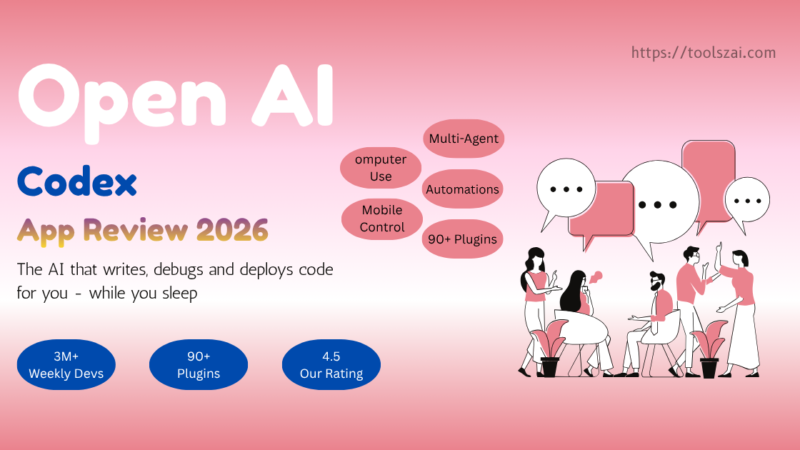
On April 16, 2026, OpenAI transformed Codex from a coding agent into a full-fledged desktop tool that can control your Mac, browse the web, create images, remember your preferences, run scheduled tasks in the background, and connect to over 90 external tools, all from within a single application.
Think of it like this —
Before 2026:
Codex = Smart coding assistant
After April 2026:
Codex = Your personal AI developer that works while you sleep
Who is OpenAI Codex for?
OpenAI Codex works best for
Individual developers who want to improve their workflow. Codex can really speed up development times, especially for small-scale projects.
For students learning to code. Codex can be a very helpful learning tool, helping students understand different languages and providing code reviews for those just starting out.
For teams doing rapid prototyping and scripting. If your team needs to produce multiple versions of software in rapid succession, Codex is a great help.
Codex is not ideal for
- Those who want fully automated coding without any reviews
- For complex production systems without human supervision
- For users who are not comfortable reviewing AI-generated code
How does OpenAI Codex work?
- Download the Codex app, MacOS or Windows (available for Windows from March 4, 2026)
- Connect your GitHub account, or create a local project folder
- Type in what you want to create in plain English (Example: “Create a time management app for me, with a calendar and a task board)”
- Codex will start working, You can monitor the progress of the work, or step away from the work completely
- Review the changes, Comment on the code, Accept or request revisions
- Deploy the project you created, Codex handles the hard work, You make the decisions
OpenAI Codex Pricing 2026
| Plan | Price | Codex Access |
|---|---|---|
| Free | $0 | Limited preview access |
| ChatGPT Plus | $20/month | Standard Codex access |
| ChatGPT Pro | $200/month | 6x usage limits |
| Business | $30/user/month | Team features |
| Enterprise | Custom | Unlimited + HIPAA |
OpenAI switched from message-based pricing to token-based billing in April 2026. Usage is now calculated as credits per million input tokens, which is more transparent, but complex agentic tasks that consist of multiple sub-steps quickly exceed the limit.
Real-world performance I found
Morning routine using Codex:
Add 3-5 Codex tasks to the task queue before starting any manual work. Between getting coffee and checking messages, there are usually 2-3 completed pull requests waiting for review.
In real-world testing, the first app, a time management app with a calendar, Kanban board, and wiki, worked well with very few bugs and delivered exactly what was asked for in each iteration. The second test, a curling game, captured the basic idea, but needed a lot more refinement to make it playable.
Honest verdict after daily use:
The 2026 Codex has become a production-ready framework that has fundamentally changed the way developers build software. The improvements are so significant that it’s hard to imagine going back to a pre-Codex workflow.