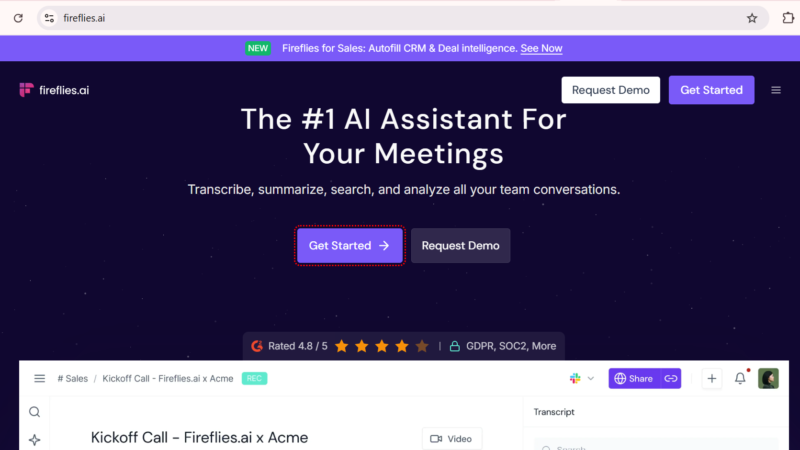
Quick Answer: Fireflies.ai is an AI-powered meeting assistant that automatically joins your Zoom, Google Meet, Microsoft Teams, and Webex calls recording, transcribing, summarizing, and extracting action items without you lifting a pen. In 2026, over one million teams worldwide use Fireflies.ai, which holds a 4.9 out of 5 rating on Capterra and 4.7 out of 5 on G2. The free plan gives you unlimited transcription and summaries, while the Pro plan at $10 per user per month (annual) unlocks expanded storage and deeper integrations. The AI credits system, however, catches many users off guard and that is the detail this Toolszai review explains clearly before you subscribe.
Fireflies.ai Review 2026: Is It the Best AI Meeting Assistant Worth Your Money?
Updated: July 2026 | 13 min read | Toolszai Editorial Team — Tested on Free and Pro Plans
Meetings are expensive. Not just in time but in the attention they consume before, during, and after. You sit through a one-hour call, spend another 20 minutes writing up notes, and still manage to miss three action items that matter. Then someone asks what was decided about the budget two weeks ago, and nobody remembers.
Fireflies.ai was built to solve exactly this problem. A bot joins your call, records everything, transcribes the conversation, pulls out the key decisions and action items, and stores it all in a searchable library you can query in plain English even months later.
The pitch is compelling. But as with most productivity tools in 2026, the details matter. We tested Fireflies.ai across the free and Pro plans for several weeks on real team calls. Here is the complete, honest picture including the AI credits system that most reviews skip over.
⭐ Toolszai Quick Verdict Fireflies.ai 2026
Overall Rating: 8.2 / 10
Best for: Sales teams, consultants, remote teams, recruiters, and professionals who spend significant time in meetings
Free plan: ✅ Yes. unlimited transcription and AI summaries, 800 storage minutes, 20 AI credits
Fireflies.ai cost: From $0 to $39/user/month (annual billing)
Capterra rating: 4.9/5 from thousands of verified reviews
Biggest strength: AskFred AI assistant search all your meetings in plain English across any timeframe
Biggest limitation: AI credits system limits advanced AI features free and Pro users run out faster than expected
Bottom line: The best AI meeting assistant for teams with heavy meeting loads. The free plan is genuinely useful but the AI credits fine print deserves careful reading before you upgrade.
What Is Fireflies.ai? A Simple Overview
Fireflies.ai is an AI meeting assistant founded in San Francisco in 2016. Its core function is straightforward: a bot called the Fireflies Notetaker joins your scheduled meetings automatically, records the audio, transcribes every word with speaker labels, generates a structured summary, and extracts action items then delivers everything to your inbox and stores it in a searchable dashboard.
Beyond basic transcription, however, Fireflies.ai has grown into a conversation intelligence platform in 2026. It tracks topics, measures talk ratios, detects sentiment, monitors filler words, and surfaces insights about how your meetings actually run not just what was said in them. Furthermore, it connects to over 200 integrations including HubSpot, Salesforce, Slack, Notion, and Zapier, making it a central node in most modern team workflows.
Early 2026 also brought a notable new addition: Talk to Fireflies, powered by Perplexity AI, enables in-meeting web search so participants can pull real-time information into the conversation without leaving the call.
In plain English: You schedule a meeting, Fireflies.ai shows up automatically, records and transcribes everything, then sends you a clean summary with action items highlighted. Ask it “what did the client say about the Q3 budget in our May calls?” and it finds the exact quote with speaker name and timestamp.
Fireflies.ai Key Features in 2026 What Actually Works
AskFred The Fireflies AI Assistant
AskFred is the most powerful and genuinely impressive feature Fireflies.ai offers. It is a natural language AI assistant that can search across your entire library of meeting transcripts and answer questions in plain English.
Rather than scrolling through hours of transcripts manually, you simply type a question: “What did we agree about the product launch timeline?” or “Which client mentioned pricing concerns this quarter?” AskFred returns the exact quote, the speaker’s name, the meeting date, and a timestamp you can click to jump to that exact moment in the recording.
In our testing, AskFred handled complex, multi-meeting queries with impressive accuracy. Furthermore, it can generate post-meeting follow-up emails, create task lists from action items, draft client recaps, and produce custom meeting reports in specific formats. For sales teams managing dozens of client relationships simultaneously, this capability is genuinely transformative.
However, there is an important caveat: AskFred queries consume AI credits. On the free and Pro plans, credits are limited and shared across your workspace not refreshed monthly per user. Heavy AskFred users will run out faster than the plan description suggests.
Automatic Meeting Transcription Across All Major Platforms
Fireflies.ai joins meetings on Zoom, Google Meet, Microsoft Teams, Webex, Ringcentral, and several other platforms automatically. All four plans including the free tier include unlimited transcription and unlimited AI summaries in 2026, which makes the core value proposition accessible without paying anything.
Transcription accuracy is strong across the major platforms, with particularly good performance in English and several other high-resource languages. The tool supports over 100 languages in total, though accuracy varies noticeably for less common ones. Speaker identification works reliably when participants join with their names clearly visible in the meeting platform.
Meeting Summaries and Action Items
After every meeting, Fireflies.ai generates a structured summary that includes an overview paragraph, a list of key decisions, extracted action items with responsible parties, and topic-based sections that organize the conversation by theme rather than chronology. These summaries arrive in your inbox within minutes of the meeting ending.
The quality of summaries impressed us consistently across different meeting types from one-on-one client calls to multi-person team sessions. Action item extraction, in particular, was accurate enough that we found ourselves trusting the output without manually cross-referencing the transcript for most meetings.
Conversation Intelligence and Analytics
On the Business plan and above, Fireflies.ai surfaces conversation analytics that go well beyond basic transcription. Talk time ratios show how much each participant spoke. Sentiment analysis flags moments of concern or enthusiasm. Filler word tracking identifies speakers who rely heavily on “um,” “like,” or “you know.” Topic tracking shows which themes dominated across multiple meetings over time.
For sales managers reviewing rep performance, or team leads trying to understand meeting dynamics across their organization, these analytics provide genuinely actionable intelligence. As a result, Fireflies.ai at the Business level functions less like a notetaker and more like a team performance tool.
How Fireflies.ai Works Step by Step
Getting started with Fireflies.ai takes less than five minutes. Here is exactly how it works from account creation to your first automated meeting summary:
- Create your account — Go to fireflies.ai and sign up with your Google or work email. No credit card needed for the free plan.
- Connect your calendar — Link your Google Calendar or Outlook Calendar. Fireflies reads your upcoming meetings automatically.
- Fireflies Notetaker joins your call — The bot appears as a participant called “Fireflies Notetaker” when your scheduled meeting starts. It records everything from that point forward.
- Transcription happens in real time — Every word is converted to text with speaker labels as the conversation unfolds.
- Summary arrives in your inbox — Within minutes of the meeting ending, a full summary with action items lands in your email and appears in your Fireflies dashboard.
- Search and review anytime — Use AskFred to query your meeting library in plain English, or browse the dashboard by meeting, speaker, or topic.
200+ Integrations Connect to Your Existing Workflow
One of Fireflies.ai’s strongest practical advantages is its integration depth. It connects natively to HubSpot, Salesforce, Pipedrive, Notion, Slack, Asana, ClickUp, Zapier, and over 200 other tools. Meeting summaries can push directly to your CRM deal records, Slack channels, or project management tool without any manual copying.
For sales teams, the CRM integration is particularly valuable. Every call with a prospect automatically updates the relevant deal record in Salesforce or HubSpot with the transcript, summary, and action items eliminating the post-call data entry that sales reps consistently cite as their most disliked task.
Talk to Fireflies In-Meeting Web Search
Launched in early 2026, Talk to Fireflies brings Perplexity AI-powered web search into your meetings. Participants can ask real-time questions during a call pulling in current data, market information, or factual context without leaving the meeting or switching to a browser tab. For research-heavy or data-driven meetings, this addition removes one of the most common workflow interruptions.
Fireflies.ai Cost in 2026 Every Plan Explained
Understanding the full Fireflies.ai cost requires looking at both the headline pricing and the AI credits system that governs advanced feature access. Annual billing saves approximately 40% compared to monthly rates.
| Plan | Annual Price | Monthly Price | Storage | AI Credits |
|---|---|---|---|---|
| Free | $0 | $0 | 800 minutes | 20 (one-time workspace pool) |
| Pro | $10/user/month | $18/user/month | 8,000 minutes | 20 (one-time workspace pool) |
| Business | $19/user/month | $29/user/month | Unlimited | 30 (one-time workspace pool) |
| Enterprise | $39/user/month | Custom | Unlimited | 50 (one-time workspace pool) |
The AI Credits System What Nobody Tells You
This is the part of Fireflies.ai’s cost structure that generates the most frustration and the part most reviews fail to explain clearly.
Every plan includes a one-time pool of AI credits shared across your entire workspace. These credits are not refreshed monthly. They do not scale as you add team members. They are a fixed, one-time allocation that depletes as your team uses advanced AI features including AskFred queries, Smart Highlights, and certain analytics functions.
On the free plan, 20 shared workspace credits covers only a handful of AskFred queries or advanced summary requests before the pool runs dry. On the Pro plan, the same 20-credit pool applies meaning a team of five users shares the same credit allocation as a single free user. Once credits run out, you must purchase additional credit bundles ranging from $5 to $600 depending on volume.
Therefore, if AskFred is the reason you are considering Fireflies.ai and for many users it is factor the ongoing credit cost into your budget before committing. Heavy AskFred users on Pro can spend more on credit top-ups than on the subscription itself.
Which Fireflies.ai Plan Should You Choose?
For individuals and light users, the free plan is genuinely functional. Unlimited transcription and AI summaries cover the core need, and 800 storage minutes handles casual meeting volumes comfortably.
For sales professionals and small teams, the Pro plan at $10 per user per month is the right starting point as long as you monitor AI credit usage carefully. The Business plan at $19 per user per month is worth the jump primarily for the unlimited storage, video recording, CRM integrations, and conversation analytics that sales managers need.
Fireflies.ai Review Honest Performance Ratings
| Category | Score | Notes |
|---|---|---|
| Transcription accuracy | 8.8 / 10 | Strong in English varies for less common languages |
| AskFred AI assistant | 9.0 / 10 | Best meeting search and query feature we have tested credit cost is the catch |
| Meeting summary quality | 8.5 / 10 | Action item extraction is particularly accurate and reliable |
| Integration depth | 9.5 / 10 | 200+ integrations widest CRM and workflow coverage in the category |
| Ease of setup | 9.2 / 10 | Calendar connect and go operational in under five minutes |
| Value for money | 7.5 / 10 | Free plan strong AI credits system reduces value on paid tiers for heavy users |
Fireflies.ai Pros and Cons
Like every tool in this category, Fireflies.ai has genuine strengths and real limitations. Understanding both helps you decide before you commit.
| ✅ What Works Well | ❌ Where It Falls Short |
|---|---|
| AskFred AI assistant search all meetings in plain English
Unlimited transcription and AI summaries on all plans 200+ integrations including HubSpot, Salesforce, and Slack 100+ language support for global teams Free plan genuinely useful for individuals and light users Talk to Fireflies brings Perplexity web search into meetings 4.9/5 Capterra rating among the highest in the category Conversation analytics and sentiment tracking on Business plan Setup takes under five minutes connect calendar and go Automatic CRM data push on Business and Enterprise plans |
AI credits system one-time pool, not monthly per user
AskFred queries consume credits that run out unexpectedly No video recording on the Pro plan Business required Pro plan storage capped at 8,000 minutes fills in 4–5 months Visible bot joining meetings makes some participants uncomfortable BIPA class action lawsuit filed over bot recording practices Transcription accuracy drops noticeably in accented or noisy audio No refunds after 20 recorded meetings Credit top-up costs can exceed subscription cost for heavy AI users Free plan meeting recordings capped at 2 hours per session |
Fireflies.ai vs Alternatives Which AI Meeting Assistant Wins?
Fireflies.ai operates in a growing market with several strong competitors. Here is how it compares honestly to the top alternatives in 2026.
| Tool | Best For | Starting Price | vs Fireflies.ai |
|---|---|---|---|
| Fireflies.ai 🏆 | Sales teams, large meeting volumes, CRM integration | Free / $10/user/month | Best integration depth and AskFred search capability |
| Fathom | Individuals wanting a fully free notetaker | Free (generous) / $19/month | More generous free plan fewer integrations than Fireflies |
| Otter.ai | Teams wanting real-time transcription during meetings | Free / $16.99/user/month | Strong real-time transcription weaker on post-meeting AI search |
| Granola | Individuals wanting local, private transcription | Free / $18/month | No visible bot records locally. Fewer team features than Fireflies. |
| MeetGeek | Teams wanting transparent, simpler pricing | Free / $15/user/month | Cleaner pricing structure smaller integration library than Fireflies |
Who Should Use Fireflies.ai in 2026?
Not every team gets the same value from Fireflies.ai. Here is an honest breakdown of who benefits most and who should look elsewhere.
| If you are… | Fireflies.ai is… | Why |
|---|---|---|
| A sales professional or SDR | ✅ Essential tool | CRM push, call coaching, and AskFred eliminate post-call admin entirely |
| A remote team with high meeting volume | ✅ Strong fit | Automatic notes and searchable archive reduce meeting fatigue significantly |
| A consultant or freelancer | ✅ Start with free plan | Free unlimited transcription and summaries cover most individual needs |
| A recruiter or HR professional | ✅ Worth trying | Interview transcripts and searchable candidate notes save hours per week |
| Someone privacy-sensitive about recordings | ⚠️ Consider Granola instead | Visible bot and cloud storage concern some users Granola records locally |
| A light meeting user (1–2 per week) | ⚠️ Free plan is sufficient | 800 storage minutes and 20 AI credits cover occasional meeting needs |
| A heavy AskFred user on a budget | ❌ Monitor credit costs carefully | Credit top-ups can exceed subscription cost for teams querying frequently |
Frequently Asked Questions
What is Fireflies.ai and how does it work?
Fireflies.ai is an AI meeting assistant that automatically joins your video calls on Zoom, Google Meet, Microsoft Teams, and Webex recording, transcribing, and summarizing everything that happens. After the meeting ends, it delivers a structured summary with key decisions and action items to your inbox, and stores the full transcript in a searchable dashboard. The AskFred AI assistant then lets you query your entire meeting library in plain English finding specific quotes, decisions, or topics across any meeting in your history.
Is Fireflies.ai free?
Yes, Fireflies.ai offers a genuinely functional free plan with unlimited transcription, unlimited AI summaries, and 800 minutes of storage at no cost. However, the free plan’s 20 AI credits shared across your entire workspace as a one-time pool limit how much you can use AskFred and advanced AI features before the credits run out. For individuals attending occasional meetings, the free plan is more than sufficient. For regular or team use, upgrading to Pro at $10 per user per month unlocks expanded storage and better workflow for the credit investment.
What is the Fireflies.ai cost in 2026?
Fireflies.ai pricing in 2026 runs from free to $39 per user per month on annual billing. The Pro plan costs $10 per user per month annually ($18 monthly), the Business plan costs $19 per user per month annually ($29 monthly), and the Enterprise plan costs $39 per user per month annually. Beyond the headline subscription cost, all plans include a one-time pool of AI credits 20 for Free and Pro, 30 for Business, 50 for Enterprise that can deplete faster than expected for active AskFred users. Additional credit bundles range from $5 to $600 depending on volume.
What is AskFred and does it really work?
AskFred is Fireflies.ai’s natural language AI assistant for searching your meeting library. You type a question in plain English “What did the client say about pricing in our last three calls?” and AskFred returns the exact quote with speaker attribution and a clickable timestamp. In Toolszai’s testing, AskFred handled complex multi-meeting queries accurately and consistently. It also generates follow-up emails, action item lists, and custom meeting reports. The main caveat is that AskFred queries consume AI credits from your workspace pool so heavy use requires purchasing top-up credits.
Does Fireflies.ai work without a visible bot in meetings?
No, by default, Fireflies.ai uses a visible bot called Fireflies Notetaker that appears as a participant in your meeting. Some participants find this uncomfortable or feel it changes the dynamic of the conversation. If invisible or local recording matters for your use case, Granola is a strong alternative that records locally on your device without a visible bot joining the call. Fireflies.ai does allow manual recording in some scenarios, but the automatic bot-joining workflow is central to how the product operates.
How does Fireflies.ai compare to Otter.ai?
Both tools transcribe meetings automatically, but they prioritize different things. Fireflies.ai leads on integration depth 200+ connected tools including deep CRM integrations and on post-meeting AI search through AskFred. Otter.ai leads on real-time transcription quality during meetings and offers a more polished live captioning experience. For sales teams who need CRM integration and historical meeting search, Fireflies.ai is the stronger choice. For teams who prioritize live captions and real-time collaboration during calls, Otter.ai performs better.
Is Fireflies.ai safe and private?
Fireflies.ai uses industry-standard encryption for data in transit and at rest, and complies with GDPR and SOC 2 requirements. Meeting recordings and transcripts are stored in the cloud on Fireflies’ servers. However, it is worth noting that Fireflies.ai faces an ongoing BIPA class action lawsuit related to its bot recording practices in jurisdictions with biometric privacy laws. If your organization handles sensitive conversations or operates in states with strict recording consent laws, reviewing Fireflies.ai’s current privacy and compliance documentation carefully before deploying it across your team is strongly recommended.
Final Verdict Is Fireflies.ai Worth It in 2026?
After several weeks of hands-on testing across both free and Pro plans, the Toolszai verdict is clear: Fireflies.ai is the best AI meeting assistant available for teams with high meeting volumes and CRM integration needs with one important caveat to keep in mind.
The core product is genuinely excellent. Unlimited transcription and AI summaries on every plan including the free tier make the baseline value proposition hard to argue against. AskFred is the most capable meeting search feature available in any tool in this category. The 200+ integrations cover virtually every CRM, project management tool, and communication platform a modern team uses. And the setup experience is as close to frictionless as this category offers.
The caveat is the AI credits system. It is not the headline pricing that catches users off guard it is the one-time, non-renewing workspace credit pool that limits AskFred and advanced AI feature access. Teams that plan to use AskFred heavily need to factor ongoing credit top-up costs into their total Fireflies.ai budget, or they will hit a wall faster than expected.
Nevertheless, for sales teams, remote teams, consultants, and any professional who attends more than five meetings per week, Fireflies.ai in 2026 delivers a return on investment that becomes obvious within the first two weeks of consistent use. The free plan is the right starting point for any individual user. Just go in with clear eyes about the credit system before you scale up.
✅ Toolszai Final Verdict Fireflies.ai: 8.2 / 10
Recommended for: Sales professionals, remote teams, recruiters, consultants, and any professional whose working week involves five or more meetings especially those who need CRM integration and searchable meeting history.
Not ideal for: Privacy-sensitive users uncomfortable with a visible bot, light meeting users who find the free credit limit sufficient and do not need to scale, or teams on tight budgets who will rely heavily on AskFred without accounting for credit top-up costs.
Best starting point: Start on the free plan. Connect your calendar, run it through ten real meetings, and test AskFred on your actual transcripts. The value becomes obvious quickly and so does whether the credit system is going to be a constraint for your use case.